
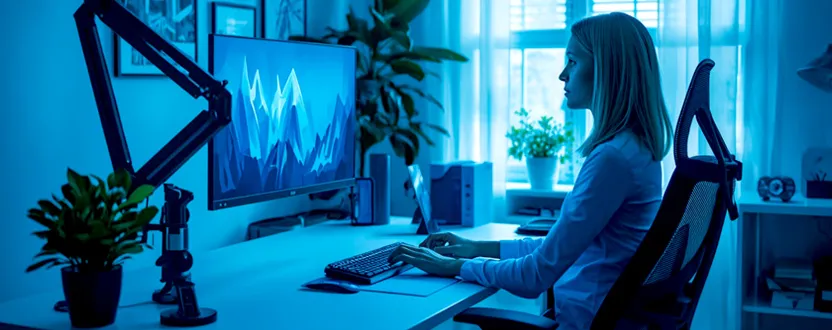
Whether you work from home or spend long hours in an office, your monitor position plays a major role in your comfort and productivity. An incorrectly positioned screen can lead to neck pain, eye strain, shoulder stiffness, and poor posture over time. Fortunately, making a few ergonomic adjustments can significantly improve your daily work experience.
The ideal monitor height allows you to view the screen without tilting your head up or down. Most ergonomics experts recommend positioning the top of the monitor at or slightly below eye level. This keeps your neck in a neutral position while allowing your eyes to naturally look slightly downward when viewing the center of the screen.
The monitor should also be placed about an arm’s length away, typically between 20 and 30 inches (50–75 cm), depending on the screen size and your eyesight. Keeping the display at a comfortable distance reduces eye fatigue and helps you maintain proper posture throughout the day.
Benefits of Proper Screen Positioning
Setting your monitor at the correct height offers several health and productivity benefits. It helps reduce strain on the neck and shoulders by encouraging a neutral head position. Proper alignment also minimizes eye fatigue because your eyes don’t have to constantly adjust to awkward viewing angles.
Good monitor placement improves concentration during long work sessions by allowing you to maintain a comfortable sitting posture. If you use multiple monitors, position the primary display directly in front of you and place the secondary monitor close beside it to reduce excessive neck movement.
For laptop users, an adjustable laptop stand combined with an external keyboard and mouse creates a much healthier workstation than working directly on a desk.
Simple Ergonomic Tips for Everyday Comfort
A complete ergonomic setup involves more than just monitor height. Your chair should support your lower back, your feet should rest flat on the floor, and your elbows should remain close to a 90-degree angle while typing. Small adjustments throughout the day can help prevent discomfort and repetitive strain injuries.
Monitor arms and adjustable stands make it easy to fine-tune screen height and angle as your workspace changes. You should also take regular breaks using the 20-20-20 rule: every 20 minutes, look at something about 20 feet away for at least 20 seconds to reduce digital eye strain.
Creating an ergonomic workstation is a worthwhile investment in your long-term health. By positioning your monitor correctly and maintaining good posture, you can stay comfortable, productive, and focused during extended working hours.
1. What is the ideal monitor height?
The top of your monitor should generally be at or slightly below eye level while sitting comfortably.
2. How far should my monitor be from my eyes?
Most people find a viewing distance of about 20–30 inches (50–75 cm), or roughly an arm’s length, to be comfortable.
3. Should I use a monitor arm?
Yes. An adjustable monitor arm makes it easier to achieve the correct height, angle, and viewing distance for better ergonomics.
4. Can incorrect monitor height cause neck pain?
Yes. A monitor that is too high or too low can force awkward neck positions, leading to muscle strain and discomfort over time.