
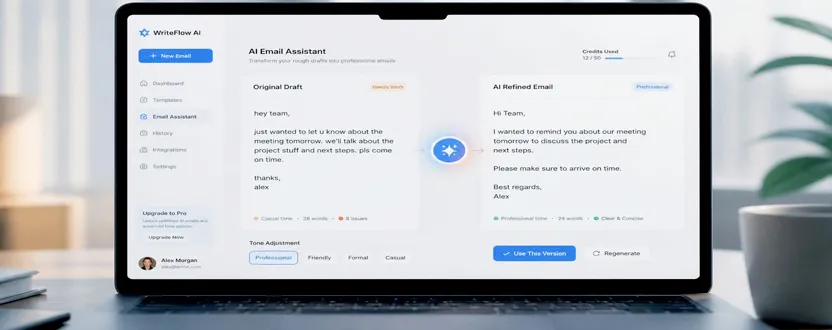
Writing a good email can take more time than expected. You may know what you want to say, but finding the right words, organizing the message, and choosing the appropriate tone can be difficult. This is especially true when writing professional emails, customer responses, follow-ups, requests, or important business communication.
AI can make this process much easier. Instead of asking AI to completely write every email without context, you can use it as a writing assistant to organize your thoughts, improve clarity, adjust the tone, and create a polished final message.
The key is giving AI enough information about your purpose, audience, tone, and important details.
For example, instead of using a vague prompt such as:
“Write an email about a meeting.”
A better prompt would be:
“Write a short professional email to a client confirming our meeting tomorrow at 10 AM. Keep the tone friendly and professional, and ask them to let me know if they need to reschedule.”
The second prompt gives AI clear instructions, so the resulting email is more likely to match your needs.
How to Get Better Email Results From AI
The quality of an AI-generated email depends heavily on the instructions you provide. A useful prompt should normally include five important elements: the purpose, recipient, context, tone, and desired length.
Start by explaining why you are writing the email. For example, you might need to request information, follow up on a previous conversation, apologize for a delay, introduce a service, or confirm an appointment.
Next, provide relevant context. AI cannot know important details that you do not include. If the email concerns a project, deadline, payment, meeting, or customer issue, provide the necessary facts.
You should also specify the tone. Useful instructions include:
Professional and formal
Friendly and conversational
Short and direct
Polite and respectful
Confident but not aggressive
Warm and appreciative
You can also tell AI how long the email should be. If you want a quick business email, ask for three or four short paragraphs. For a more detailed explanation, request a longer structure.
Another useful approach is to ask AI to improve an email you have already written. This gives you more control over the final message.
For example:
“Rewrite this email to make it clearer and more professional. Keep my original meaning, remove unnecessary words, and make the tone polite.”
This approach is particularly useful when you already know what you want to say but are unsure about grammar, wording, or structure.
AI can also help you create different versions of the same email. You could ask for a formal version, a friendly version, and a concise version, then choose the one that best matches your situation.
Always Review AI-Generated Emails
AI should be treated as a writing assistant, not an automatic replacement for human judgment.
Before sending an AI-generated email, check names, dates, numbers, attachments, links, deadlines, and other important information. Make sure the message actually reflects what you want to communicate.
You should also check whether the tone sounds natural. A technically correct email can still feel too robotic or overly formal.
For sensitive business communication, customer complaints, financial matters, employment issues, or confidential information, review the message particularly carefully before sending it.
A simple workflow is:
Write your key points → Give AI clear instructions → Generate or improve the email → Review the result → Check facts → Send
You can make this process even more effective by creating reusable prompts for common situations such as follow-ups, meeting requests, customer replies, thank-you emails, and professional introductions.
For example, you can keep a prompt like:
“Rewrite the following email so it is concise, professional, and friendly. Keep all important facts unchanged. Do not add information that isn’t included in my original message.”
This type of prompt can be reused whenever you need help polishing an email.
AI is most useful when it helps you communicate your own ideas more clearly. Rather than simply copying whatever AI generates, use it to improve structure, wording, clarity, and tone while keeping the final message authentic to you.
Frequently Asked Questions
1. Can AI write professional emails?
Yes. AI can help create professional emails by organizing information, improving grammar, adjusting tone, and making messages more concise. You should always review the final email before sending it.
2. What should I include in an AI email prompt?
Include the purpose of the email, recipient, relevant context, desired tone, important details, and preferred length. More specific instructions generally produce more useful results.
3. Can AI make an email sound more professional?
Yes. You can provide your existing email and ask AI to improve grammar, clarity, structure, and tone while keeping your original meaning.
4. Should I copy and send an AI-generated email without checking it?
No. Always review AI-generated emails before sending them. Check names, dates, facts, numbers, links, attachments, and tone to make sure the message is accurate and appropriate.