
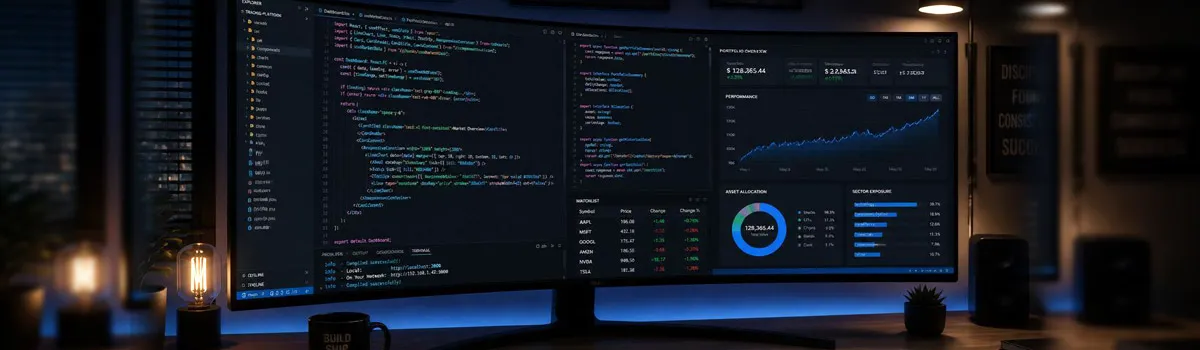
How to Choose the Best 4K and UltraWide Monitors for Modern Web Developers
For modern web developers, UI designers, and software engineers, the monitor is one of the most important productivity tools. Working on a small, low-resolution screen often means constant window switching, limited workspace, and increased eye strain. As projects become more complex with code editors, browser previews, databases, and documentation open simultaneously, having a larger display can significantly improve efficiency.
Both 4K and UltraWide monitors are excellent choices, but the best option depends on your workflow and personal preferences.
4K vs UltraWide: Which Monitor Is Better?
A 4K monitor offers exceptional image quality and sharp text, making it ideal for developers who value clarity. A 27-inch or 32-inch 4K display provides enough screen space to comfortably work with multiple windows while ensuring code remains crisp and easy to read. This makes 4K monitors particularly useful for front-end developers, UI/UX designers, and anyone working with detailed graphics.
UltraWide monitors, on the other hand, focus on horizontal workspace. A 34-inch 21:9 display allows you to place your code editor, browser, terminal, and documentation side by side without needing dual monitors. Many developers prefer this seamless workflow because there are no bezels interrupting the workspace, making multitasking more comfortable.
Features to Look for Before Buying
When selecting a monitor, consider more than just screen size. Look for USB-C connectivity if you use a modern laptop, as a single cable can transmit video, data, and charging power. Adjustable stands with height, tilt, and swivel support improve posture during long coding sessions.
Eye-care technologies such as flicker-free panels and low blue light modes help reduce eye fatigue, especially when working late into the evening. An IPS display also provides accurate colors and wide viewing angles, making it suitable for both development and design work.
If you mainly write code and value maximum sharpness, a 4K monitor is an excellent investment. If you frequently multitask across several applications, an UltraWide display may provide a smoother workflow. Whichever option you choose, investing in a high-quality monitor can improve productivity, reduce strain, and create a more comfortable workspace for years to come.
1. Is a 4K monitor worth it for web developers?
Yes. A 4K monitor provides sharper text, better image quality, and more workspace, making coding and multitasking more comfortable.
2. Are UltraWide monitors better than dual monitors?
Many developers prefer UltraWide monitors because they offer a continuous workspace without bezels, though dual monitors remain a good option for heavy multitasking.
3. What monitor size is best for programming?
A 27-inch or 32-inch 4K monitor and a 34-inch UltraWide monitor are among the most popular choices for software development.
4. Which features should I prioritize when buying a developer monitor?
Look for an IPS panel, USB-C connectivity, adjustable stand, flicker-free technology, low blue light mode, and a resolution that matches your workflow.