
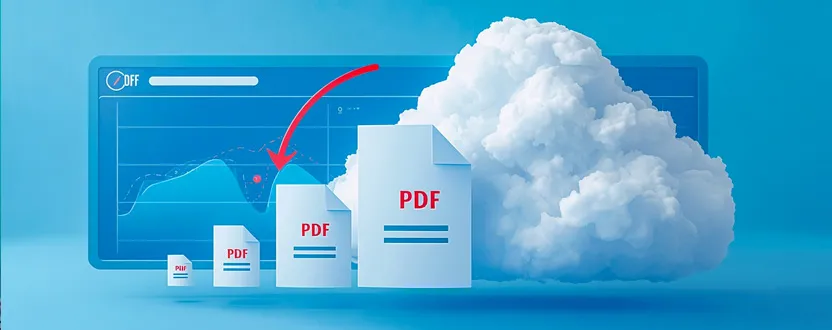
PDF files are widely used because they preserve document formatting across different devices and operating systems. However, large PDF files can be difficult to upload, share through email, or store efficiently. Learning how to reduce PDF file size without losing quality helps improve productivity while making documents easier to manage.
PDF compression works by removing unnecessary data and optimizing images, fonts, and embedded resources within the document. Modern compression techniques significantly reduce file size while maintaining excellent readability and document quality. For most business reports, invoices, presentations, and study materials, compressed PDFs remain visually identical to the original files.
One of the simplest ways to reduce PDF file size is by using an online PDF Compressor. Browser-based tools allow users to upload documents, compress them within seconds, and download optimized versions without installing software. These tools are especially useful for students, office professionals, freelancers, and businesses that handle documents regularly.
Image quality has the biggest impact on PDF size. High-resolution images often occupy most of the document’s storage space. Compressing or resizing images before creating a PDF can dramatically reduce the final file size without affecting readability. Choosing the appropriate resolution based on the document’s purpose also improves efficiency.
Removing unnecessary pages, duplicate images, unused fonts, and hidden metadata can further reduce PDF size. Many PDF optimization tools automatically perform these tasks, allowing users to achieve better compression with minimal effort.
Security should always be considered when using online PDF tools. Select services that process files through secure HTTPS connections and automatically delete uploaded documents after processing. This helps protect confidential business or personal information during file conversion.
Smaller PDF files offer several advantages. They upload faster to websites, consume less cloud storage, and are easier to share through messaging platforms and email services. Faster document loading also improves the user experience, particularly on mobile devices and slower internet connections.
Before compressing a PDF, always keep a copy of the original document. This ensures you can return to the full-quality version if further editing or high-resolution printing becomes necessary.
Reducing PDF file size is a simple yet valuable productivity practice. By using reliable browser-based PDF compression tools and following basic optimization techniques, users can manage documents more efficiently while maintaining professional document quality for work, education, and personal use.